Save it once. Read it anywhere & offline.
Comix Downloader Plus is the optional subscription for the free extension. It keeps the chapters you save in an encrypted Cloud Library you can read on any device, shows when the series you follow are likely to return, and syncs your setup across browsers.
New subscriptions are temporarily unavailable. Existing memberships will not renew after their current paid or trial period.
Signing in here also signs Comix Downloader in, in the same browser.
What Plus adds
01Headline featureCloud Library
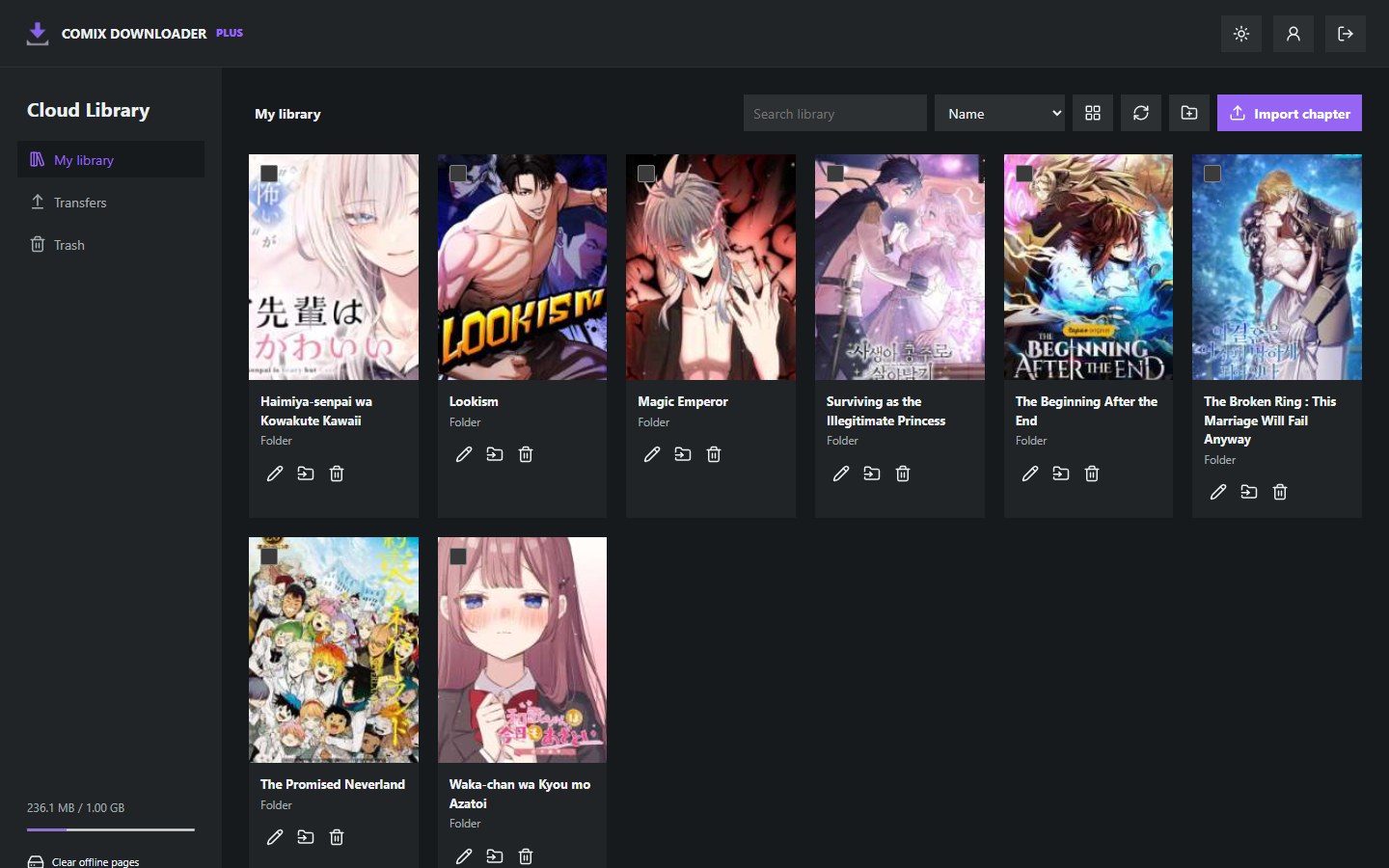
Send chapters straight from Download All into an encrypted library, filed by comic, and read them on your computer or phone.
How it works → 02Release Agenda
A weekly view of when your followed series are likely to get their next chapter, right inside comix.to.
See the Agenda → 03Sync
Settings, reading progress and watched series on up to five browsers, with thirty days of restore points.
What syncs →Your comics, in a library that follows you.
Download All gets a new destination. Choose PLUS Cloud Library, or this device and the cloud together, and every chapter uploads into your library, already organized. Open it in any browser you have approved, on a computer or a phone, and pick up where you stopped.
-
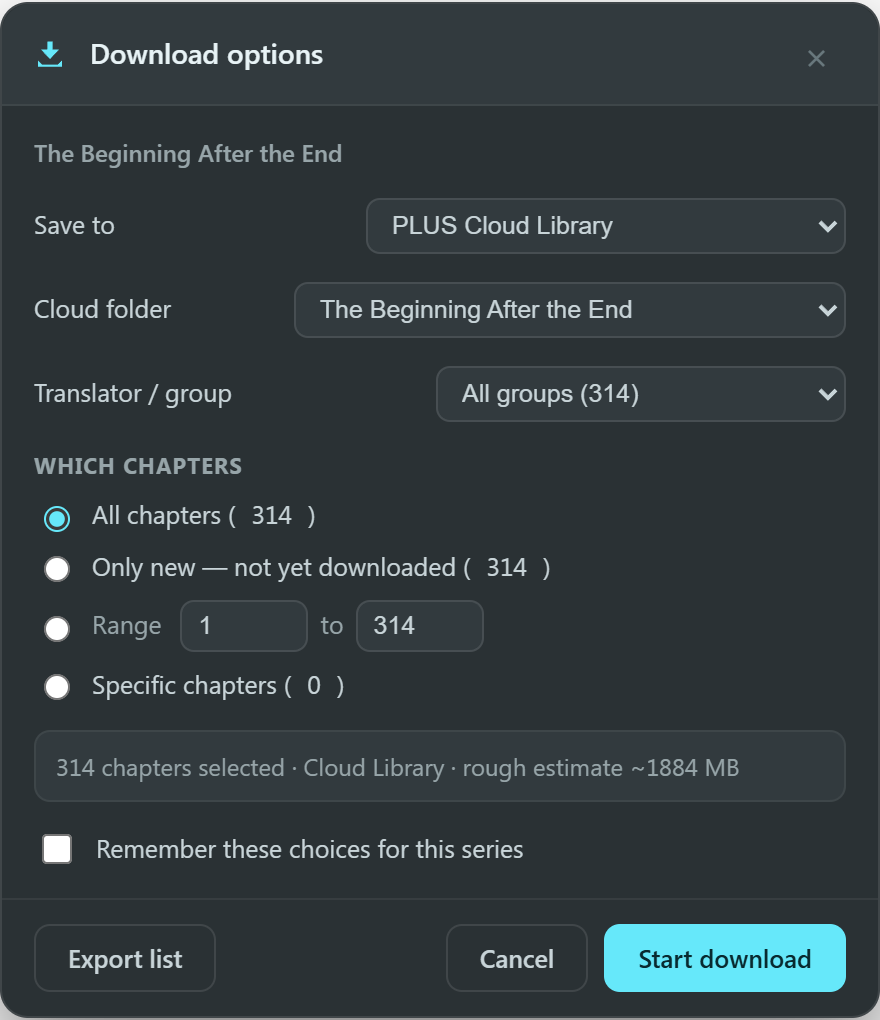
Download options
Choose the cloud
In the Download All options, pick PLUS Cloud Library under Save to. Ranges, specific chapters and group filters work exactly as before.
-
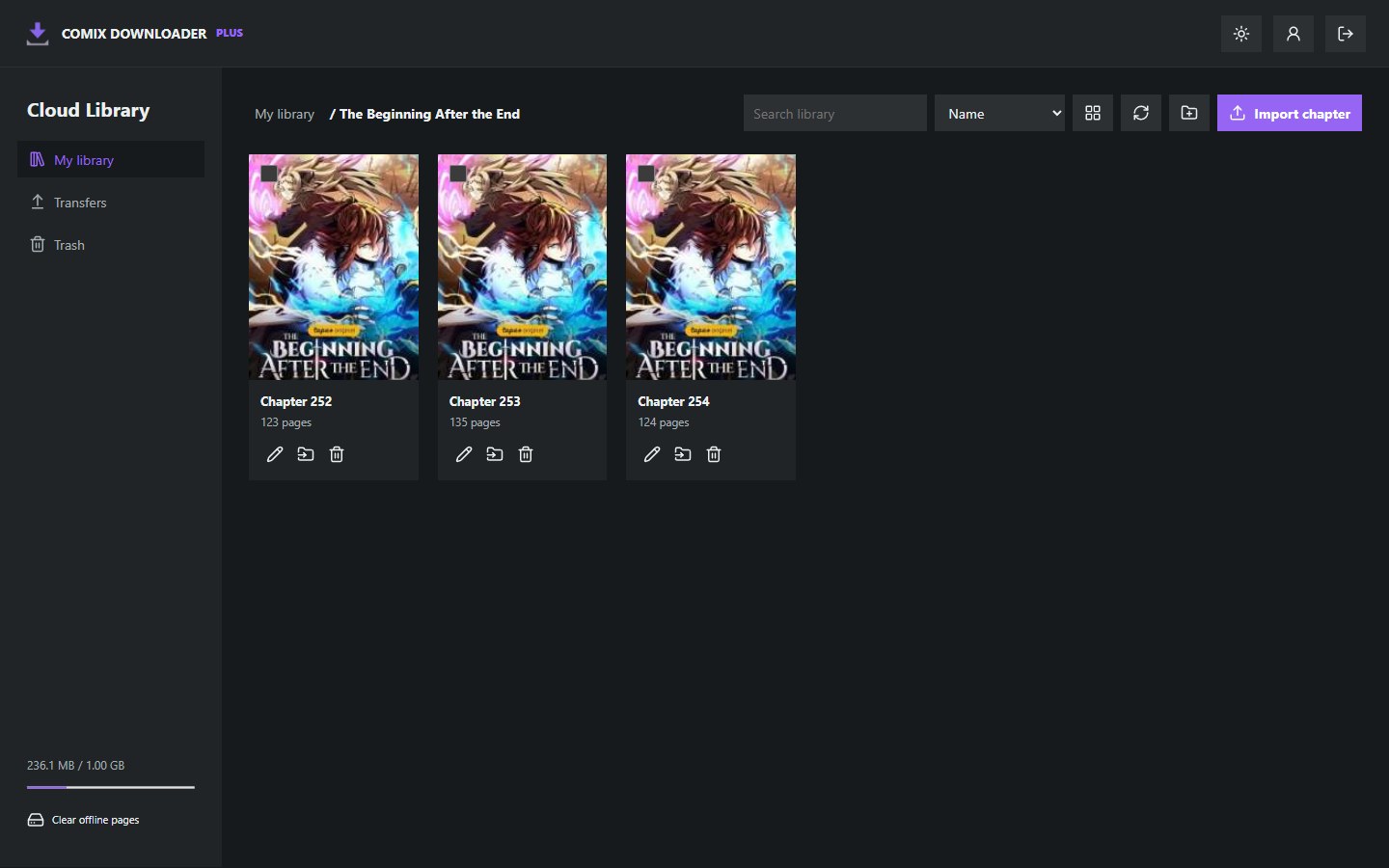
Cloud Library / a comic
It files itself
Each comic gets a folder with its chapters inside. Prefer your own structure? Save into any folder you created.
-
Cloud Library / reader
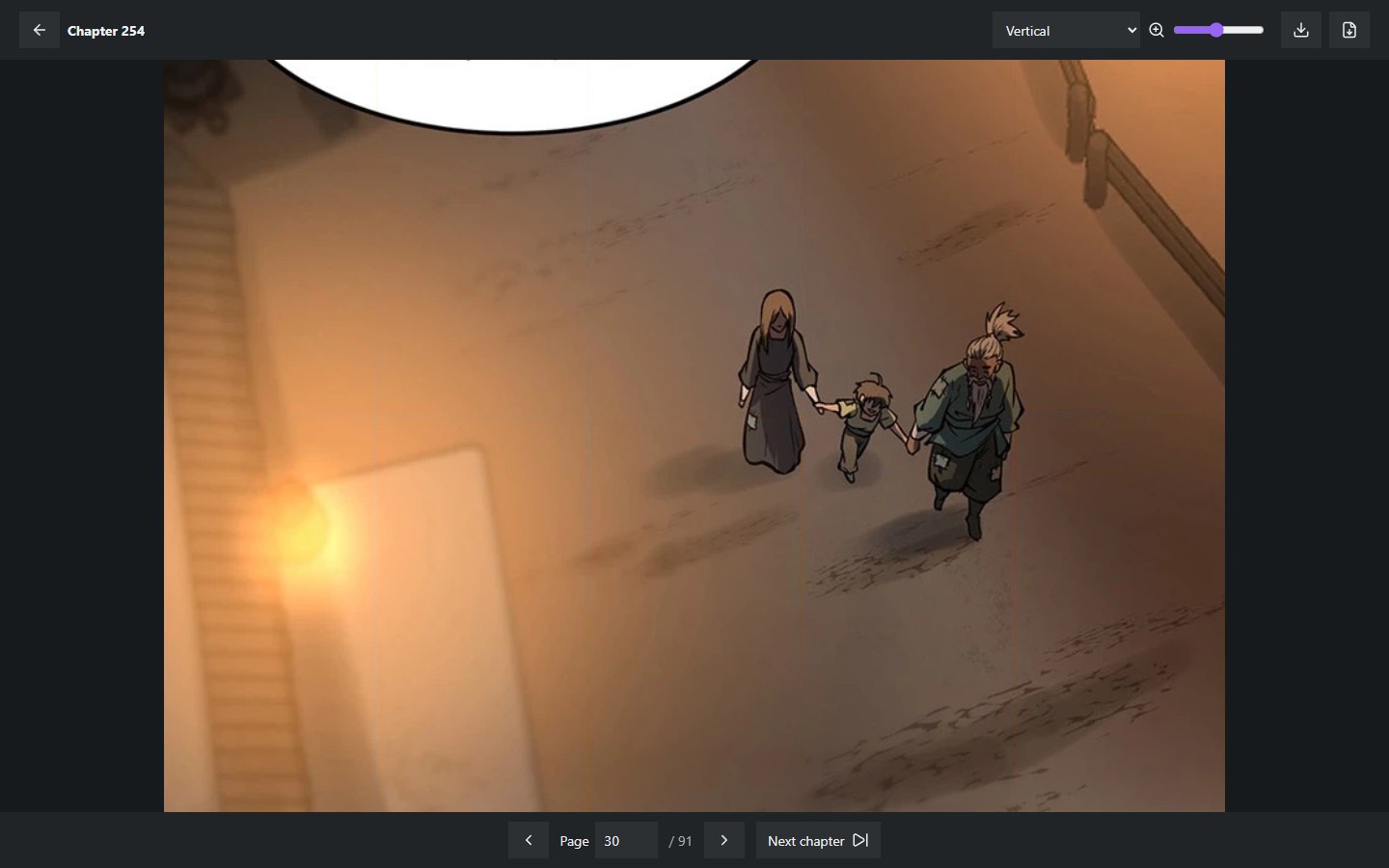
Read anywhere
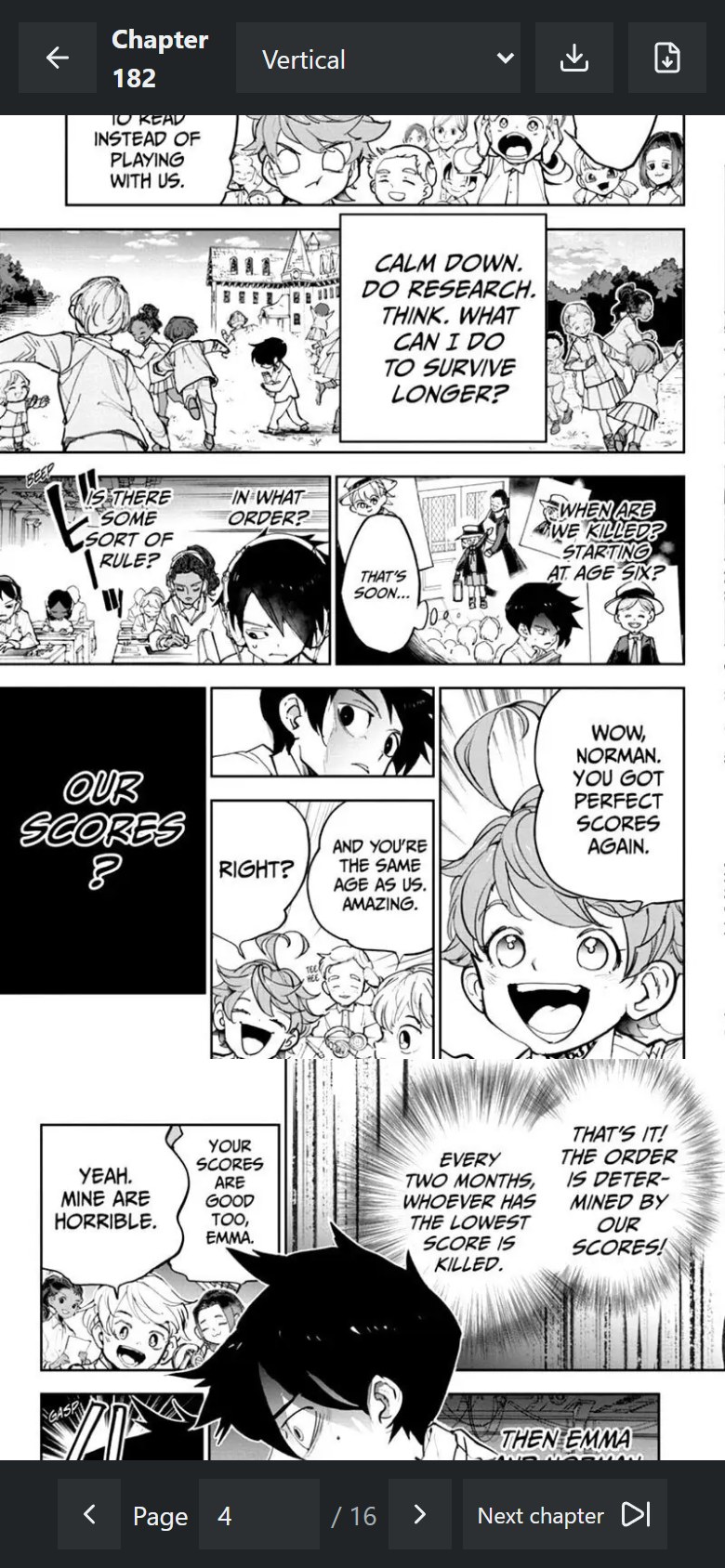
Open the library in any browser you sign in to with your email. The reader scrolls vertically or turns pages, left to right or right to left.
-
Pick up where you stopped
Your reading position is saved, so another device opens on the same page.
-
Read offline
Keep chapters on a device for flights, commutes and patchy Wi-Fi.
-
Organize like a drive
Folders in folders, rename, move, search, select several, trash and restore.
-
Bring your own files
Import CBZ files or folders of images, and export any chapter back to CBZ.
-
Uploads that resume
An interrupted upload waits in Transfers and continues where it stopped.
-
Installs like an app
Add the library to your desktop or home screen on browsers that support it.
Know which days your series are likely to return.
The Agenda reads the upload history of each series you follow and places its next chapter on the most likely day of the week. It opens as a page inside comix.to, in the site's own look, one click from the header, with the evidence behind every placement.
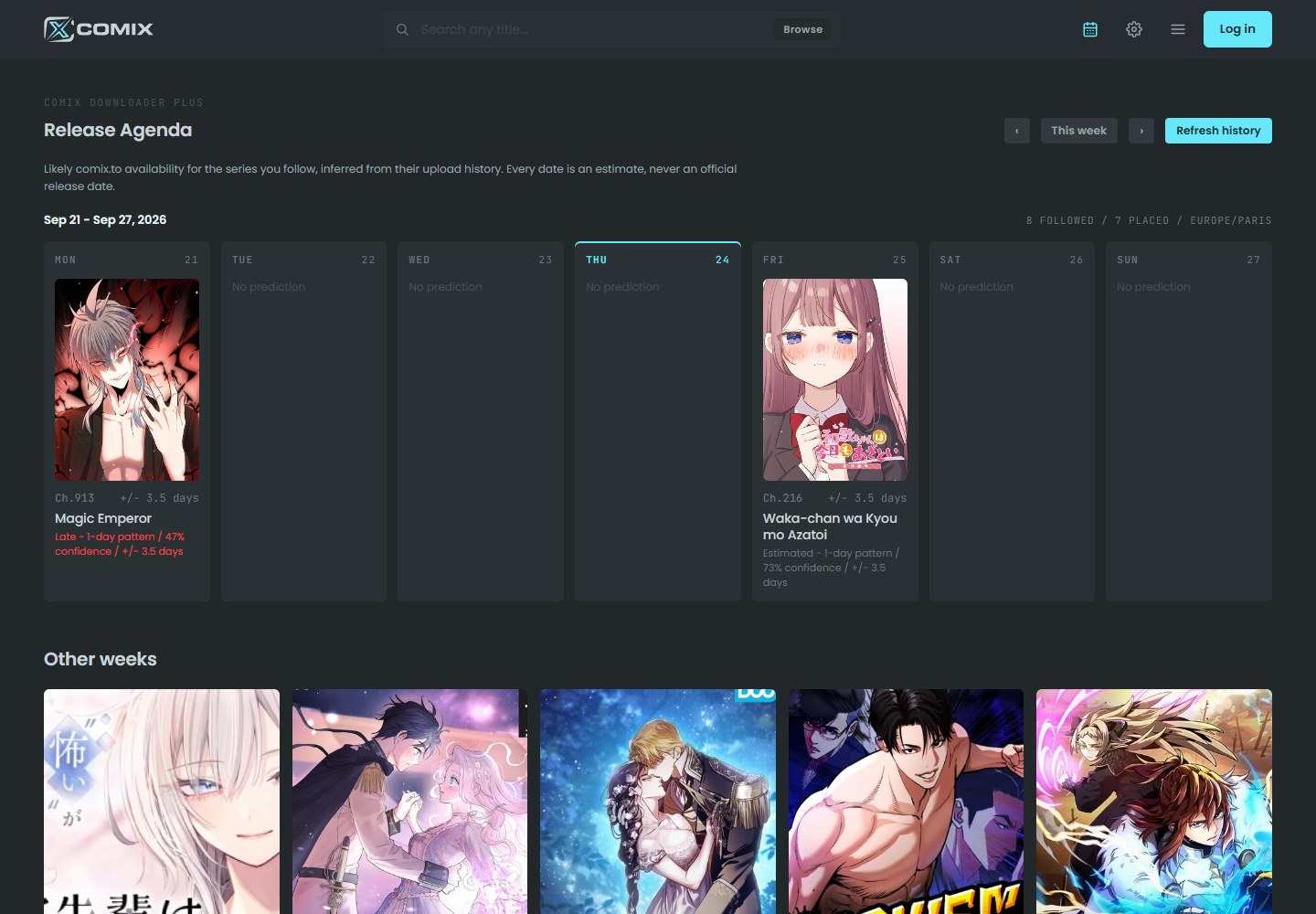
- On schedule
- A steady interval across recent chapters. The day follows from it.
- Estimated
- Worked out from fewer or looser samples, so the day can move.
- Late
- The expected day has passed and the chapter has not appeared yet.
- Unscheduled
- Too little or too irregular a history to place a useful date.
Every date is an estimate of availability on comix.to, never an official release date. Agenda history stays on your device and is not part of Sync.
Your setup, on every browser you read on.
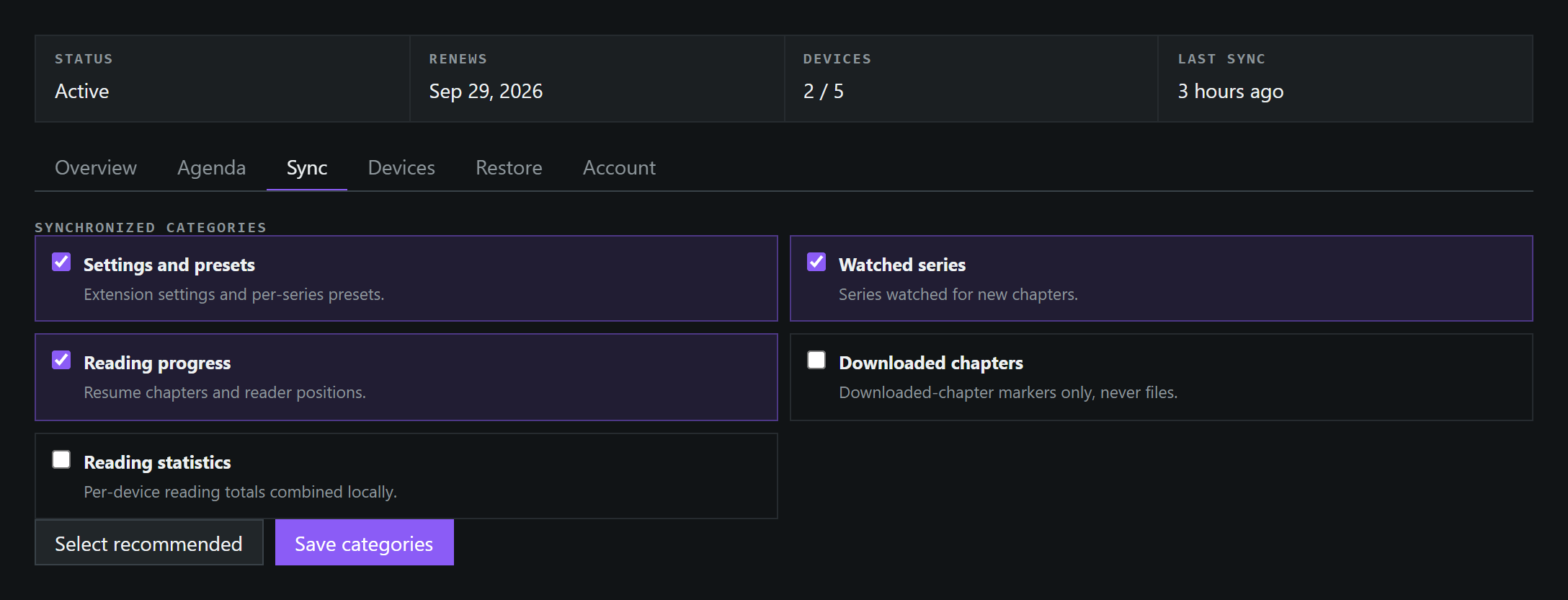
Choose exactly what travels between up to five browsers. Everything is encrypted on your device before it syncs, and thirty days of restore points undo a change you regret.
- Settings, watched series, reading progress, download markers and stats, each one opt-in
- Sign in on a new browser with a code sent to your email, and remove any browser from the Plus panel
- AES-256-GCM on your device, with no recovery code to keep
- Daily restore points for 30 days, and a safety point before every restore
Comic files never travel through Sync. That is what the Cloud Library is for.
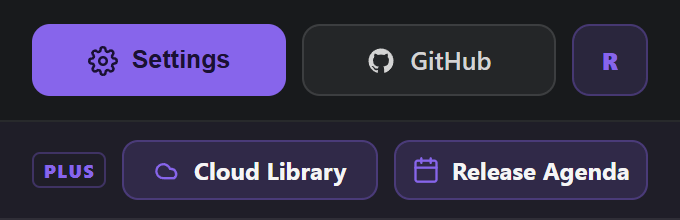
One click from the toolbar.
Sign in once, from the extension popup or on this website, and the other follows in the same browser. Once you are in, its Plus row opens Cloud Library and the Release Agenda directly, with no trip through the settings.
Free stays free. Downloads, ZIP and CBZ, subscriptions and reader tools remain accountless and unchanged, with or without Plus.
Free vs Plus
Questions
New subscriptions are temporarily unavailable while the extension is being reworked. Existing members can sign in to manage their account and billing.
Yes. In the same browser, signing in or out on this website signs Comix Downloader in or out too, and the other way around. On another device, sign in with a code sent to your email.
5 GB of encrypted Cloud Library storage per account. Your account page shows how much you use.
Pages and names are encrypted on your device before upload. The service keeps a protected copy of your key so an email code can unlock a new device, which means it could technically open your data. It does not, except where the law requires.
No. Saving from comix.to uses the extension, but reading happens in the Cloud Library in any browser where you sign in with your email.
No. Nothing that works today moves behind an account.
Automatic renewals have been stopped for existing memberships. Access continues until the current paid or trial period ends, and trials will not convert to paid memberships. No automatic refund has been issued; contact support about a charge you already paid.
Existing Plus members
-
Step 1
Sign in to your account
Use your existing email and the six-digit sign-in code. There is no password to remember.
-
Step 2
Manage billing
Check your scheduled end date from the account page. Your current paid or trial access is not being cut off early.
-
Step 3
Keep a copy of your data
Use the account and library export options to keep a local copy of data you need. Normal data-retention limits still apply after your membership ends.
Plus is optional, and every free feature stays free. Stripe handles billing; tax is added at checkout where it applies.