 Comics Downloader
Copy reading lists New
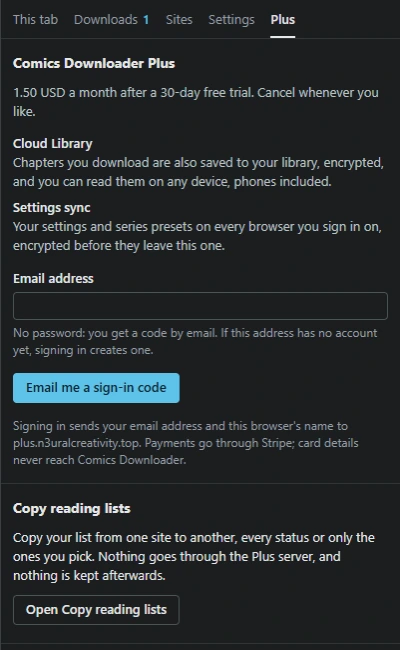
Moving to another site? Copy your reading list there instead of adding every series again. Pick the site you read on and the one you are moving to, every status or only the ones you want, check what was found, and the extension adds the series for you. Open it from Copy reading lists in the Plus tab.
- 26 sites, MangaDex, Weeb Central, MangaHub and Atsumaru among them, plus MyAnimeList files, which MyAnimeList, AniList and Kenmei export.
- Statuses come along: Reading, Plan to read, Completed, On hold, Dropped and Re-reading, on sites that have them.
- A copy only adds. Nothing already on the target site is changed or removed.
- A series not found under its title is searched again under its other titles, looked up on AniList.
- Custom lists on MangaDex and MangaK come along too.
- Moving to Comix? It saves a file for Comix’s own import.
- It runs in your browser, through your own signed-in tabs. Nothing goes through the Plus server, and nothing is kept afterwards.
A working model of the extension’s page, with a sample list. Pick two sites and go: nothing is copied.
Cloud Library
Set Save to to Cloud Library, or Computer and Cloud, next to the Download button in the extension’s panel, and each chapter you download goes to your library. Read it in the web library in any browser, phones included, or install the web library as an app; pages you pick stay available offline.
- 5 GB per account. The library shows how much you use.
- A chapter you already saved isn’t saved twice.
- Items are private to your account; there is no sharing.
- Deleted items stay in the trash for 7 days.
Your library / Welcome to Demon School! Iruma-kun
Settings sync
Your settings and per-series presets follow you to every browser you sign in on. Changes upload a few seconds after you make them, and other browsers pick them up when they start.
- Restore points from the last 30 days put your settings back as they were.
- Signing in takes a six-digit code from your email. There is no password.
- You can see every signed-in browser and remove any of them.
What the server sees
Your email, your devices, your subscription, and how much you store. Not your pages, and not what you read.
For that last part to work, the server keeps a copy of your encryption key, itself encrypted with a server secret. That copy means the server could technically read your data. It doesn’t, unless the law requires it. The details are in the privacy policy.